
ThinkPad L vs E Series: Which Lenovo Business Laptop Should You Choose?


ThinkPad L vs E Series: Which Lenovo Business Laptop Should You Choose?
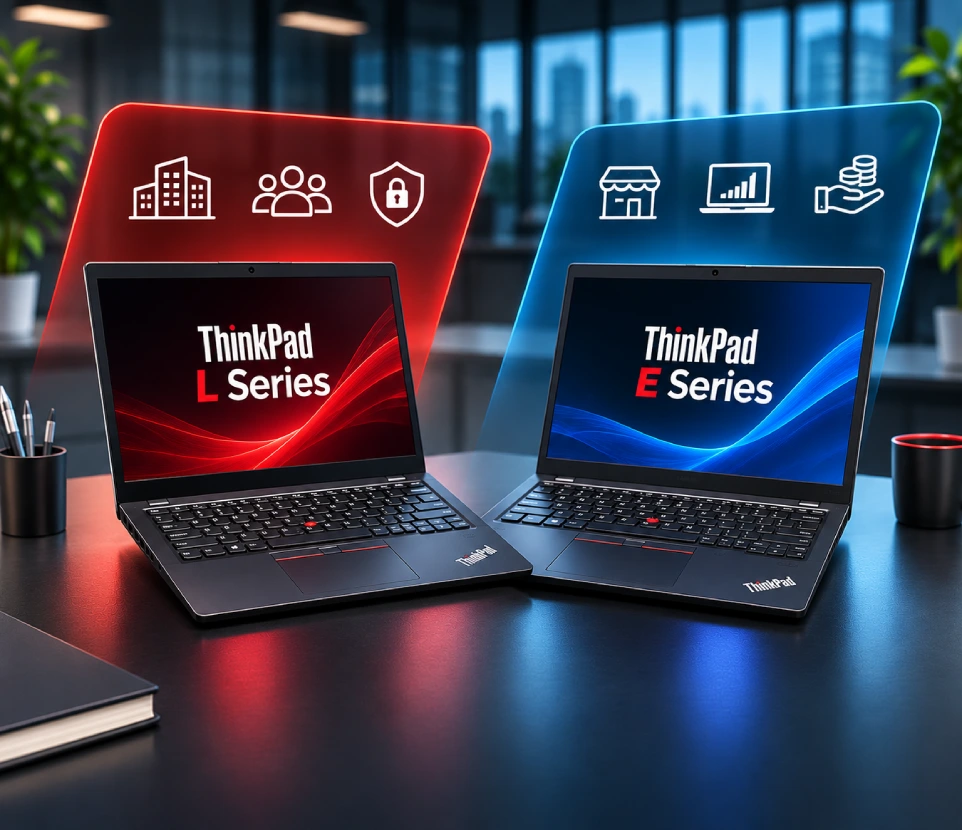
When comparing Lenovo ThinkPad L vs E Series laptops, the main difference is their intended business use and feature positioning. The ThinkPad E Series is designed for small businesses and professionals who need a dependable laptop for everyday productivity. The ThinkPad L Series targets mainstream business users and organizations that may need additional manageability options alongside everyday performance.
Both series can handle common office workloads, including email, documents, spreadsheets, presentations, video meetings and business applications. The right choice depends on your budget, employee requirements, IT management needs and the specific laptop configuration.
If you are exploring Lenovo business laptops , this comparison will help you understand which ThinkPad family is more suitable for your requirements.
Lenovo positions both the L and E Series as practical business laptop families, but they serve somewhat different requirements.
ThinkPad L vs E Series: What Is the Difference?
What is Lenovo ThinkPad E Series?
The Lenovo ThinkPad E Series is an entry-level business laptop family designed primarily for small businesses and professionals who need essential computing capabilities.
- Preparing documents and presentations.
- Working with spreadsheets and email.
- Attending online meetings.
- Using web-based business applications.
- Managing customer information and routine office work.
- Working with standard productivity software.
Models such as the ThinkPad E14 and E16 offer different screen sizes and configurations. They are worth considering when the priority is reliable everyday computing within a controlled purchasing budget.
What is Lenovo ThinkPad L Series?
The Lenovo ThinkPad L Series is positioned for mainstream business productivity, including organizational environments where manageability options may be important.
It supports everyday professional workloads while offering configurations and business-oriented features suited to small and medium-sized businesses and larger teams.
- ThinkPad L13
- ThinkPad L13 2-in-1
- ThinkPad L14
- ThinkPad L16
The L13 is suited to users who prefer a compact device, while the L14 and L16 provide larger display options for different working styles.
For a broader introduction, read What Is Lenovo ThinkPad L Series? Models, Features and Business Uses
ThinkPad L vs E Series: Key Differences
Although both families support everyday business productivity, their positioning, available features and configurations can differ.
| Comparison Factor | ThinkPad L Series | ThinkPad E Series |
|---|---|---|
| Product positioning | Mainstream business laptops with manageability options | Entry-level business laptops |
| Target users | SMBs, business teams and organizational users | Small businesses and individual professionals |
| Everyday performance | Suitable for office and professional workloads | Suitable for everyday office workloads |
| Manageability | Offers business-oriented manageability options on supported configurations | Feature availability varies by model and configuration |
| Model options | L13, L13 2-in-1, L14 and L16, depending on generation | E14 and E16, depending on generation |
| Screen sizes | Compact, standard and larger-screen options | Standard and larger-screen options |
| Budget considerations | Compare configuration and business features against cost | Often positioned as a more budget-conscious option |
| Best suited for | Businesses balancing productivity and organizational requirements | Users prioritizing essential business productivity and value |
Not necessarily. The processor, RAM, storage and cooling design of an individual laptop have a greater impact on performance than the series name alone.
For example, a ThinkPad E laptop with a higher-tier processor and more memory may outperform an L Series configuration with entry-level specifications.
When comparing two models, check:
- Processor model and generation.
- Number of processor cores and performance characteristics.
- Installed RAM and upgrade options.
- SSD capacity and storage type.
- Graphics capabilities.
- Cooling and power limits where relevant.
For typical office applications, both series can provide a responsive experience when configured appropriately.
One important distinction is Lenovo's positioning of the L Series around mainstream organizational requirements and manageability options.
This can matter to companies that deploy laptops across multiple employees and want consistent hardware, security policies and IT administration.
However, manageability capabilities are not identical across every model. Check the exact configuration and platform specifications before assuming that a particular management or security feature is included.
Both families offer traditional business laptop designs, but available screen sizes, display technologies, ports and materials vary by generation.
The L Series includes compact models such as the L13 and larger models such as the L16. The E Series includes options such as the E14 and E16.
Do not assume that every L Series laptop has a better display, lighter construction or more ports than every E Series model. Compare the exact specifications.
The E Series is generally positioned as an entry-level, value-focused option, while the L Series targets mainstream business requirements.
This does not mean every E Series configuration will cost less than every L Series configuration. Processor, RAM, SSD, display, operating system, warranty and current market pricing all influence the final cost.
For business procurement, compare laptops with similar specifications rather than comparing only their series names.
Which Series Is Better for Different Business Needs?
The best choice depends on how employees use their laptops and how the organization manages its IT equipment.
For employees who primarily use email, documents, spreadsheets, presentations, browsers and standard business applications, either series may be suitable.
The ThinkPad E Series can be a sensible choice when essential productivity and purchase cost are the main priorities.
The L Series is also suitable for these workloads, particularly when the organization wants additional business-oriented options.
Small businesses often need to balance laptop costs with employee productivity.
The E Series may suit businesses that need straightforward office laptops for a limited number of employees. The L Series may be worth considering when the business has broader IT requirements or expects to standardize devices across a growing team.
Organizations purchasing laptops for multiple departments should consider more than processing power.
They may need to evaluate:
- Device management and deployment requirements.
- Security and authentication features.
- Warranty and support arrangements.
- Operating system editions.
- Hardware standardization.
- Availability of replacement units.
- Long-term maintenance and lifecycle costs.
The L Series may be a better starting point for evaluating mainstream business deployments where manageability options matter. The E Series can still be appropriate for teams with simpler requirements.
Both series can support remote and hybrid work when equipped with suitable processors, memory, webcams, microphones and wireless connectivity.
For employees who regularly attend video meetings and use multiple applications, prioritize adequate RAM, a good webcam, reliable wireless connectivity and sufficient battery capacity.
Both L and E models can handle multitasking, but the specific configuration matters.
For general business multitasking, a laptop with 16GB RAM and SSD storage is a practical starting point. More demanding workloads may benefit from 32GB RAM or higher, where supported.
For engineering, 3D design, advanced video editing or GPU-intensive workloads, consider whether a suitable workstation-class laptop is more appropriate.
Choose between the ThinkPad L and E Series based on your business requirements rather than assuming one family is always better.
ThinkPad L vs E: Which Should You Buy?
Choose ThinkPad E Series if:
- You need a laptop for essential business productivity.
- Your employees primarily use office applications and web-based tools.
- You are purchasing for a small business or startup.
- You want to prioritize value and control acquisition costs.
- You do not require specific organizational manageability features beyond those available in your selected configuration.
Choose ThinkPad L Series if:
- You need mainstream business laptops for a team or organization.
- You want to evaluate additional manageability options.
- You are standardizing devices for multiple employees.
- You need a choice of compact, standard and larger-screen models.
- Your purchasing decision considers business deployment requirements as well as everyday performance.
What should businesses compare before purchasing?
Before making a bulk purchase, compare the actual configurations side by side.
| Specification | What to Check |
|---|---|
| Processor | Model, generation and performance level |
| RAM | 16GB is a practical starting point for many business users; assess higher capacity for demanding workloads |
| Storage | SSD capacity and storage requirements |
| Display | Size, resolution, brightness and panel type |
| Operating System | Confirm the required Windows edition |
| Security | Check available TPM, fingerprint and other security features |
| Connectivity | USB-C, USB-A, HDMI, Ethernet and wireless options |
| Warranty | Coverage, duration and support arrangements |
| Total Cost | Purchase price, support and expected lifecycle costs |
Explore the Lenovo ThinkPad laptop range and compare the available configurations before selecting devices for your team.
Frequently Asked Questions: ThinkPad L vs E Series
The L Series is positioned for mainstream business use and includes manageability options, while the E Series focuses on entry-level business computing. The L Series may suit organizations with broader IT requirements, but the better laptop depends on the specific model and configuration.
The E Series is generally positioned as a more budget-conscious business laptop family. However, actual prices depend on processor, memory, storage, display, warranty and market availability. Compare equivalent configurations before deciding.
Both can be suitable for office work. The E Series can handle everyday productivity requirements, while the L Series is worth considering when business-oriented manageability options are also important.
Both series can work for small businesses. The E Series may suit businesses prioritizing essential productivity and cost, while the L Series may be more appropriate when the business needs additional organizational features or is standardizing laptops across a team.
Not automatically. Performance depends on the processor, RAM, storage, graphics and thermal design of the specific laptop. Always compare the full specifications of the models you are considering.
The E14 belongs to Lenovo's entry-level business laptop family, while the L14 belongs to its mainstream business range with manageability options. Both are 14-inch-class business laptop models, but their features and configurations vary by generation.
Read the detailed comparison in ThinkPad L vs T Series: Which Lenovo Business Laptop Should You Choose?
Conclusion
The Lenovo ThinkPad L and E Series are both practical options for business computing, but they address slightly different purchasing priorities.
The E Series is designed for essential business productivity and value-conscious buyers. The L Series is positioned for mainstream business use, with additional manageability options that may benefit organizations deploying laptops across teams.
For businesses, the most reliable way to choose is to compare the processor, RAM, storage, display, security features, operating system, warranty and total cost of the actual configurations available.
Explore the Lenovo business laptop collection at OMA Computers to evaluate suitable models for your business requirements.
Contact Us, OMA Computers- One of the top Dubai laptop dealers