Synology DX525 Expansion Unit (Diskless) | 5-Bay | 3.5-Inch/2.5-Inch SATA HDD/SSD | Hot-Swappable | USB Type-C Connectivity | Online Volume Expansion | 3-Year Warranty | DX525

The Synology DX525 5-Bay Expansion Unit provides a simple way to expand the storage capacity of compatible Synology DiskStations. Add up to five additional drives with plug-and-play connectivity and hot-swappable drive support, helping businesses and professionals increase storage capacity without interrupting normal operations.

2,407.85 AED

Speedy and reliable parcel delivery!

For Immediate delivery

For urgent delivery requirements, please contact our sales team. Standard shipping is typically within 2–3 days, with back-to-back orders taking 4–5 weeks. Product images are for illustrative purposes only.

Synology DX525 5-Bay Expansion Unit (Diskless)

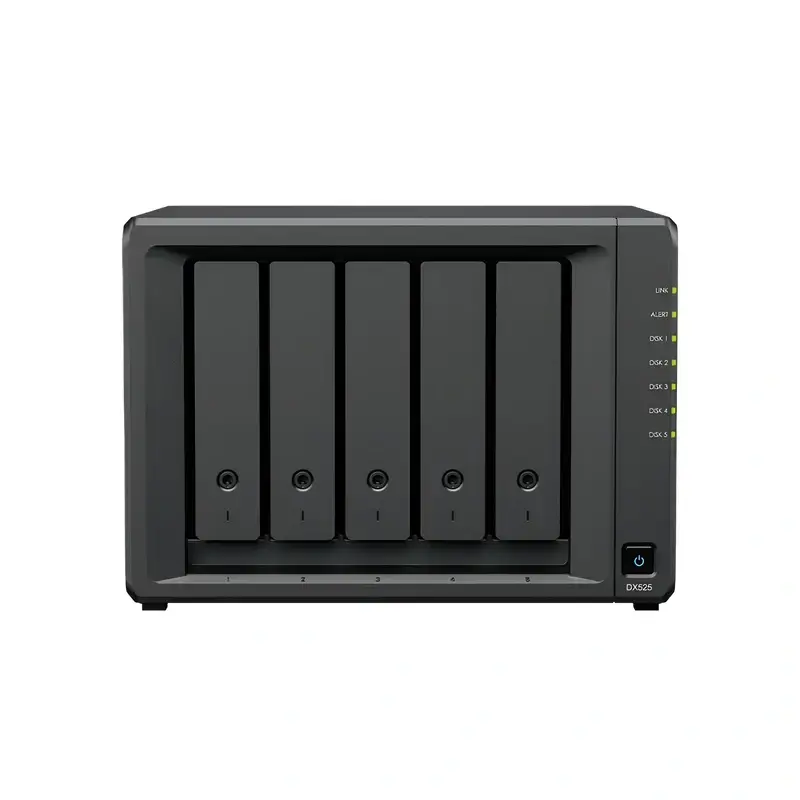
The Synology DX525 5-Bay Expansion Unit offers a convenient way to expand the storage capacity of a compatible Synology DiskStation. With five additional drive bays, it supports both 3.5-inch SATA hard drives and 2.5-inch SATA solid-state drives, providing flexibility to increase available storage as data requirements grow.

Designed for straightforward integration, the DX525 features plug-and-play setup and hot-swappable drive support. Once connected, its additional drive bays are managed through the host NAS using Synology DiskStation Manager (DSM), allowing users to expand storage volumes while maintaining uninterrupted service.

Flexible Storage Expansion

Increase the storage capacity of your compatible Synology DiskStation by adding up to five drives through the DX525. Support for 3.5-inch SATA HDDs and 2.5-inch SATA SSDs gives users flexibility when selecting storage devices for their deployment.

Online Volume Expansion

Managed through the host NAS’s DiskStation Manager (DSM), the DX525 makes its additional drive bays available upon connection. On-the-fly volume expansion allows storage capacity to grow without interrupting services running on the host system.

Dedicated Local Backup Solution

The DX525 can also serve as a dedicated local backup destination for a Synology DiskStation. When configured as a separate volume, data stored on its local drives remains safeguarded in the event of a host system failure.

Key Features

  • Five Additional Drive Bays: Expand compatible Synology DiskStation storage with five additional drive bays.
  • Flexible Drive Compatibility: Supports 3.5-inch SATA HDDs and 2.5-inch SATA SSDs.
  • Plug-and-Play Setup: Connect the expansion unit for straightforward storage expansion.
  • Hot-Swappable Drives: Supports drive replacement and installation without interrupting normal operation.
  • Online Volume Expansion: Manage additional storage through Synology DiskStation Manager (DSM) on the host NAS.
  • Local Backup Capability: Configure the DX525 as a separate volume for a dedicated local backup solution.
  • Three-Year Warranty: Includes a three-year hardware warranty, with options to extend coverage to five years in eligible regions.

The Synology DX525 is designed for compatible 25 Series DiskStations, including the DS1825+, DS1825neo+, DS1525+, DS1525neo+, DS925+, DS925neo+, DS725+ and DS725neo+. Check Synology’s compatibility information before purchasing to confirm support for your NAS model and selected drives.

TECHNICAL SPECIFICATIONS

Hardware
Applied Models Supports creating volumes across different units 25 series: DS1825+, DS1825neo+, DS1525+, DS1525neo+, DS925+, DS925neo+, DS725+, DS725neo+
Notes To have better performance, we recommend creating storage volumes physically located within the same NAS or Expansion Unit, rather than creating volumes across your NAS and Expansion Unit.
Storage Drive Bays 5
Drive Type (See all supported drives)
  • 3.5″ SATA HDD
  • 2.5″ SATA SSD
Hot Swappable Drive* ✓
RAID Management through Synology DSM ✓
Notes Compatible drives are mandatory. Please consult our compatibility list before purchasing hard drives. For more details, please refer to this article.
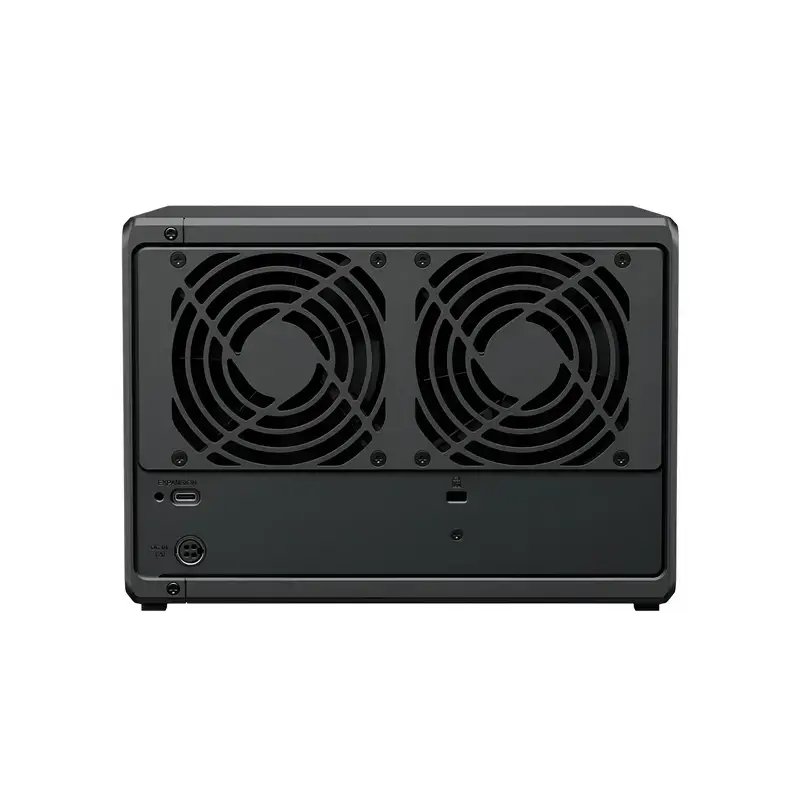
External Ports Expansion Port 1
Appearance Size (Height × Width × Depth) 166 mm x 230 mm x 223 mm
Weight 2.46 kg
Power Power Recovery Synchronized with the Synology DiskStation
Power Supply Unit / Adapter 90 W
AC Input Power Voltage 100V to 240V AC
Power Frequency 50/60 Hz, Single Phase
Power Consumption 35.37 W (Access)
7.0 W (HDD Hibernation)
British Thermal Unit 120.69 BTU/hr (Access)
24.02 BTU/hr (HDD Hibernation)
Notes For more information on how power consumption is measured, refer to this article.
Temperature Operating Temperature 0°C to 40°C (32°F to 104°F)
Storage Temperature -20°C to 60°C (-5°F to 140°F)
Operating Humidity 8% to 80% RH
Storage Humidity 5% to 95% RH
Others System Fan 92 mm x 92 mm x 2 pcs
Noise Level 20.4 dB(A)
Notes Noise testing was conducted with the Synology system fully installed with Synology SATA HDDs and in an idle state. Two G.R.A.S. Type 40AE microphones are placed at a 1 m distance from the front and rear of the device. Background noise: 16.49-17.51 dB(A); Temperature: 24.25-25.75ËšC; Humidity: 58.2-61.8%
Certification
  • FCC
  • CE
  • BSMI
  • UKCA
  • EAC
  • VCCI
  • RCM
  • KC
  • BIS
Warranty 3-year hardware warranty, extendable to 5 years with EW201 or Extended Warranty Plus
Notes
  • Availability varies by region. Before purchasing, please visit the official web pages of EW201/202 and Extended Warranty Plus for a list of eligible regions.
  • The warranty period starts from the purchase date as stated on your purchase receipt. (Learn more)
Environment & Packaging
Environment RoHS Compliant
Packaging Content
  • Main Unit × 1
  • Expansion Cable: USB Type-C X1
  • Accessory Pack × 1
  • AC Power Adapter × 1
  • AC Power Cord × 1
Optional Accessories
  • Enterprise Series 3.5″ SATA HDD: HAT5300 Series
  • Plus Series 3.5″ SATA HDD: HAT3300 Series
  • Enterprise Series 2.5″ SATA SSD: SAT5200 Series
Notes

  1. Model specifications are subject to change without prior notice.
  2. The figures are based on Synology internal testing. Each performance test is done individually. No other services or applications are processed at the same time.
  3. The actual performance may be lower than lab testing figure due to differences in server configuration, deployment, and the number of active operations.
  4. If usage requirements exceed the specifications above, please contact our regional partners for professional advice.

Related products